Introduction
Did you know that getting hreflang tags wrong could lead to a significant drop in how accurately your website reaches the right audience? Google’s expert John Mueller reveals that incorrect hreflang tags might reduce targeting precision by 30-40% in regional or language-specific search results. But what are hreflang tags? Let’s break it down in detail.
What Is Hreflang?
Hreflang is an HTML attribute that helps search engines understand which language and regional version of a web page to display to a user based on their language settings and geographic location. Suppose you have a website that provides content in English and French. The hreflang attribute lets you guide search engines like Google to display the English version of a page to users in the United States and the French version to users in France.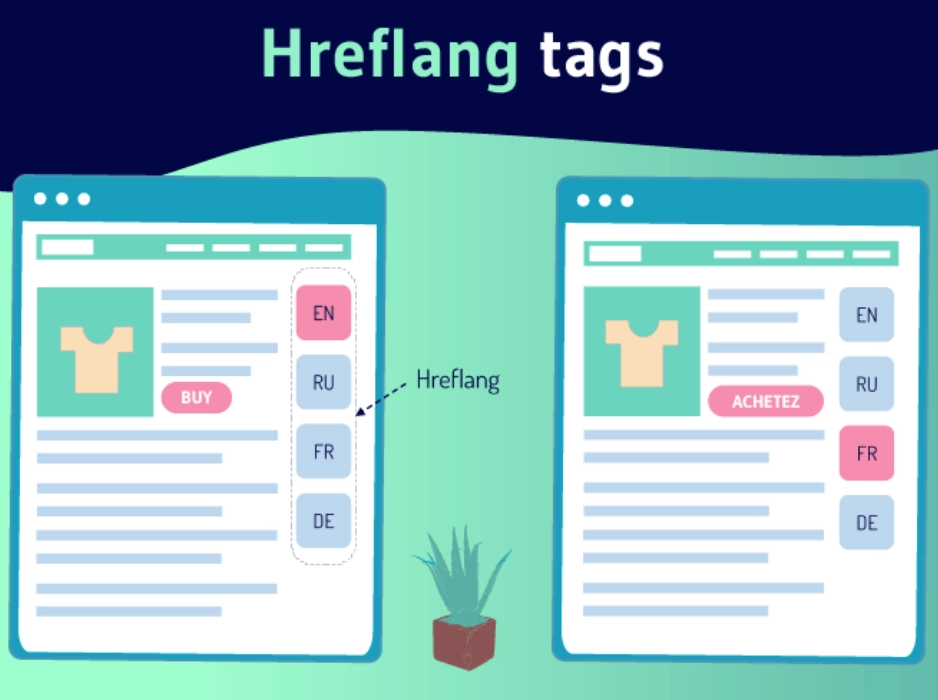 For example, if a company named "LawBhoomi" has a blog available in both English and Spanish, they would use hreflang tags to ensure that when someone searches for "LawBhoomi blog" in Mexico, the search engine shows the Spanish version of the blog, likely hosted on a subdomain like "es.lawbhoomi.com." Conversely, users in the United States would see the English language page. While hreflang is a powerful tool for directing users to the most appropriate version of your site, it's important to remember that it's more of a suggestion to search engines rather than a strict rule. This means that search engines might still display a different version of a page if they believe it's more relevant to the user's specific circumstances. Not all search engines handle hreflang tags the same way. Google and Yandex use hreflang to help refine their search results for users based on language preferences, but other search engines like Baidu might not recognize hreflang tags, relying instead on other HTML attributes such as "content-language."
 Why Are Hreflang Tags Important?
Hreflang attributes are small pieces of code that play a significant role in both international SEO and the user experience. Here’s why they are considered essential: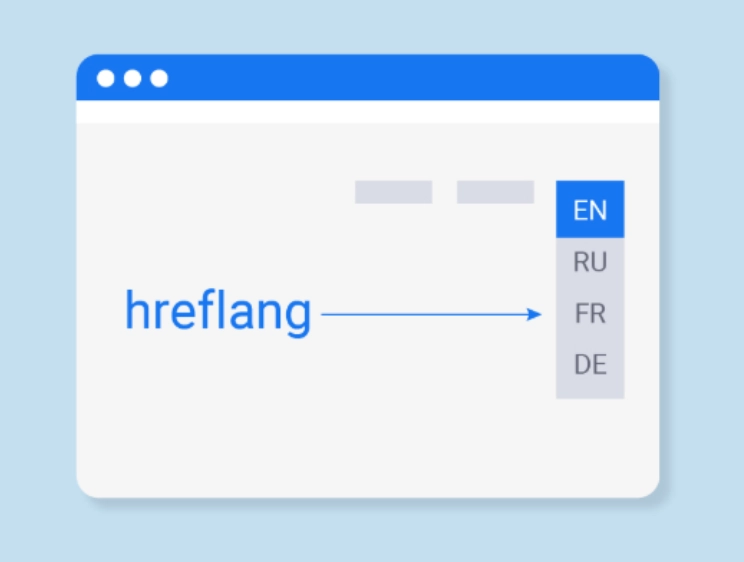
Boosts International SEO Performance
Hreflang tags improve your website's visibility across different countries by telling search engines which version of your content is relevant for specific regions and language settings. This specificity aids in driving more targeted traffic to your site. For example, if you run an online shoe store, using hreflang tags helps ensure that a shopper from the US sees your web page in English and is listed in US dollars, while a customer in India views your products in Hindi and priced in rupees.Improves the User Experience
Implementing hreflang tags considerably improves how users interact with your site. They direct users to a version of the site in their preferred language and regional settings, which can greatly amplify their browsing experience. For example, an e-commerce platform can show prices in the local currency, or a culinary site might display recipes with measurement units familiar to the visitor's region.Avoids Duplicate Content Issues
One of the key benefits of hreflang tags is their ability to handle duplicate content issues across different languages. Without hreflang tags, search engines might see the same content in English, Spanish, or French as duplicated, even though they are intended for different audiences. This can dilute your SEO efforts and affect your site’s credibility and ranking. By using hreflang tags, you inform search engines like Google that each content variation is meant for a different language audience, which should be considered unique.What Does a Hreflang Tag Look Like?
A hreflang tag is a simple line of text that you add to the web page’s code to tell search engines like Google about the language and region in which the page is intended. An hreflang tag is formatted as follows: <link rel="alternate" hreflang="language code/x" href="URL of the alternate version" />. This tag is placed within the <head> section of the HTML of a webpage. Here's how to understand what goes into an hreflang tag: Link Relationship (rel): This part of the tag indicates that the link provided is an alternate version of the content available on the current page. It's like saying, "Here's another version of this page." Language Code (hreflang): In this segment, "x" is replaced with a specific language code (like "en" for English, "es" for Spanish) and, optionally, a country code (like "US" for the United States or "GB" for Great Britain). This tells the search engine which language the alternate page uses and, if specified, the particular country it targets. Webpage URL (href): This part specifies the actual web address where the alternate version of the page can be found. It's like providing directions to where the content is in another language. For example, if a website has both English and Hindi versions, the hreflang tag helps inform search engines which version to display based on the user’s settings. If someone in India is searching, the search engine will use these tags to decide to show the Hindi version of the site to provide a better user experience.How to Build a Hreflang Tag
Building an hreflang tag is simple once you understand the basics of language and country codes. Here's how you can create your own hreflang tags for your website's multiple language versions:- Identify Language Codes: Start by determining the two-letter ISO 639-1 language code for each version of your content. For example, "en" for English, "es" for Spanish, or "de" for German. These codes specify the language of the alternate page.
- Add Country Codes (optional): If you need to target specific regional dialects or countries, use the ISO 3166-1 alpha-2 country code in addition to the language code. For example, "en-US" for American English or "en-GB" for British English.
- Construct the Tag: Combine the language code (and country code, if applicable) with the standard hreflang syntax to create your tag. Here's the basic format:<link rel="alternate" hreflang="language code-country code" href="URL of the alternate page" />
- Specify for Additional Countries: If you have the same language spoken in different countries, you can further specify by adding a country code. For example, Portuguese as spoken in Portugal and Brazil would have separate tags:<link rel="alternate" hreflang="pt-PT" href="https://example.com/pt/" />
The Basics of Hreflang Implementation
Here is some basic information about implementing hreflang that you must know: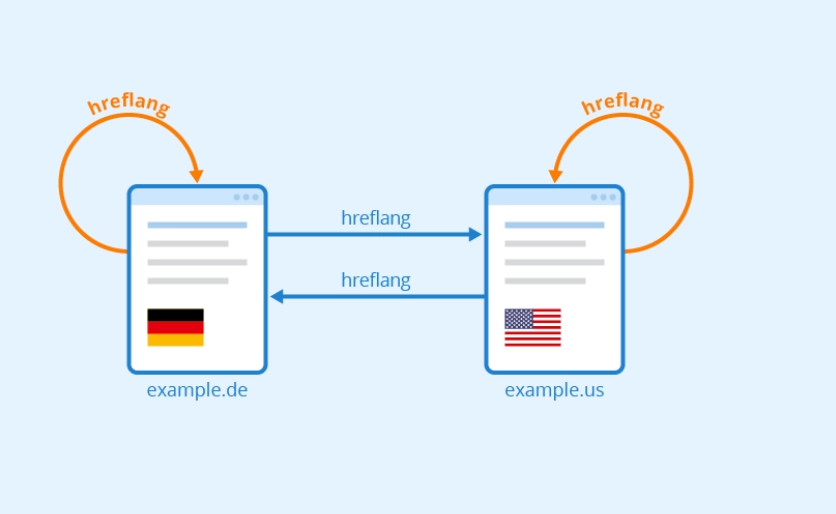
Rule #1: Hreflang Tags Are Bidirectional
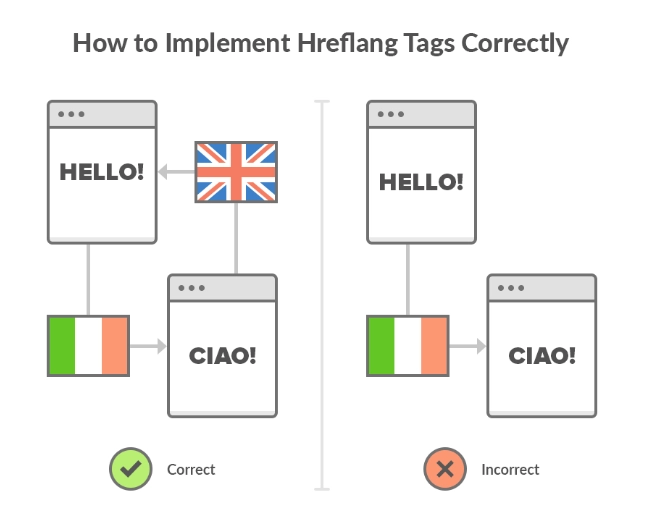
Ensure that if one page points to another using an hreflang tag, the target page must point back to the original page with its own hreflang tag. This mutual recognition helps confirm the association between the pages.Rule #2: Self-Referential Hreflang Attributes Are Good Practice
Each page should include an hreflang tag pointing to itself in addition to tags for other language versions. This practice helps solidify the target audience for each page.Rule #3: X-Default Tags Are Recommended but Not Mandatory
The x-default hreflang attribute is used to indicate a general or default page when no specific language match is available in the user's settings. It guides search engines on which page to display when there's no suitable match.How to Implement Hreflang Tags
Here’s how to properly implement hreflang attributes: