
Introduction
Backlinks are an important part of SEO. But sometimes, they can turn into spammy links. Disavow files tell Google to ignore these spammy backlinks. The more high-quality backlinks you have, the higher your website can rank in search results. But what happens when you start attracting spammy backlinks? Let’s discuss.
What is a Disavow File?
A disavow file is a tool used in SEO to inform Google which backlinks you want them to ignore when evaluating your site’s ranking. Backlinks from poor-quality or spammy websites can harm your ranking, and the Disavow Tool was introduced as a way to mitigate this risk. However, this tool should be used sparingly and only if your site is under a manual action penalty for unnatural links. Google has advanced spam detection systems, like SpamBrain, which automatically disregard spammy links without needing a disavow file.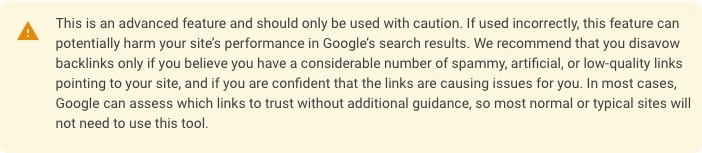
Why the Disavow File Was Created
Google introduced the Disavow File as part of its efforts to combat black hat SEO tactics. Webmasters would use spammy backlinks to artificially inflate a site’s ranking. When Google updated its algorithm through the Penguin update, it became more vigilant about penalizing sites with such manipulative links. To avoid penalization, webmasters can use the Disavow Tool to disassociate their websites from harmful backlinks. For example, say your site unintentionally attracted links from a low-quality, spammy site. Google can associate this link with your site and think that you are trying to manipulate search rankings. With the Disavow File, you can submit the bad link to Google, telling the search engine to ignore such links.When Should You Use a Disavow File?
Disavow files should not be used indiscriminately. Google’s John Mueller, a key figure in Google Search Relations, has separately highlighted that using the disavow file is unnecessary unless your site has received a manual action for unnatural backlinks. In fact, using it incorrectly could harm your SEO by inadvertently disavowing legitimate, valuable links. Manual actions are penalties Google imposes when it believes that a site has intentionally engaged in manipulative link-building. If you receive such a penalty, you must audit your backlinks and submit a disavow file for the spammy ones. But, outside of this scenario, Google’s algorithm usually filters out bad links automatically, which makes the disavow tool redundant. For example, Google’s SpamBrain AI technology already scans for unnatural links and negates their effect on rankings. So, if your site is under a negative SEO attack where someone deliberately builds low-quality backlinks to harm your site, you might not need to worry. Google’s systems will likely ignore them. Also, if you have tried contacting webmasters to remove harmful backlinks and they ignore your requests, or the site is no longer active, you can use a disavow file to tell Google to disregard these links.Risks of Using the Disavow File Incorrectly
Using the Disavow Tool when it’s not needed can backfire. Every backlink, even from a low-quality site, passes some amount of PageRank to your site. If you disavow these links unnecessarily, you risk losing valuable authority. In extreme cases, webmasters have used the disavow tool excessively, only to see their rankings drop because they cut off beneficial backlinks. For example, let’s say your site has backlinks from a site with a poor reputation, but that link still brings in traffic or boosts your domain authority. If you disavow it, it could damage your SEO efforts more than it helps. This is why most experts suggest using the tool only when you are absolutely sure that the backlinks are harmful, not just because they seem suspicious.How Disavow Files Work
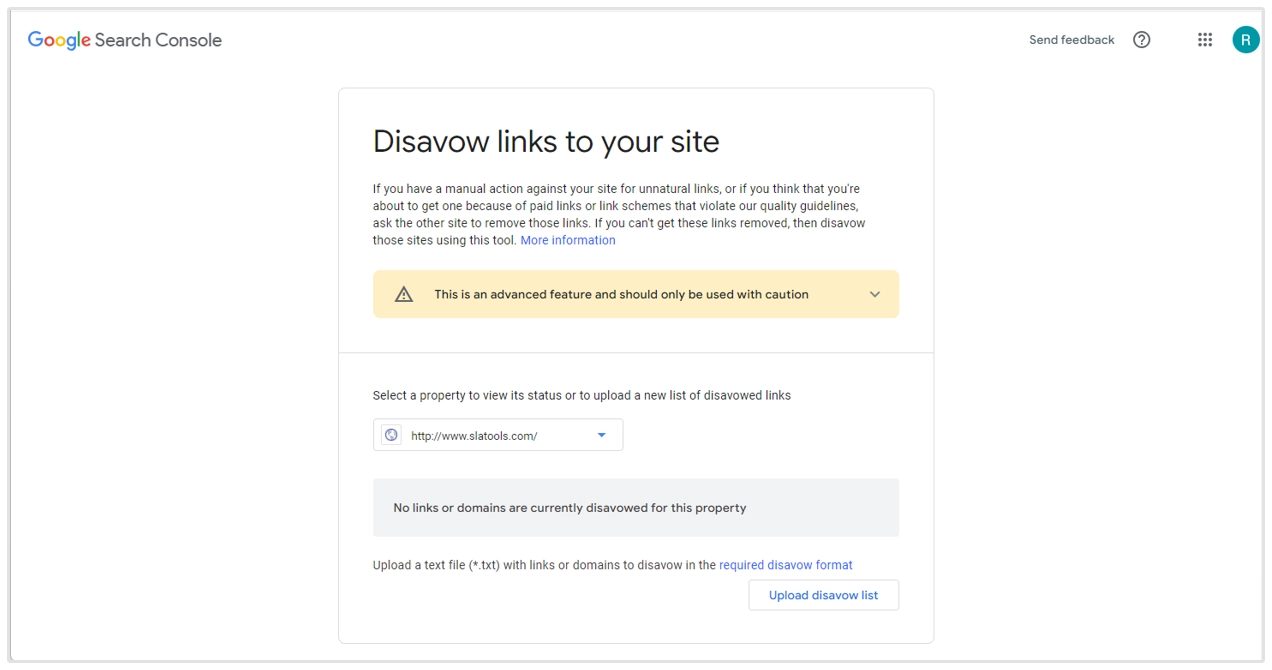 The Disavow File is a text file that contains URLs or entire domains that you no longer want Google to consider when evaluating your site’s authority. It’s a list you give to Google saying, “Hey, I know these links are pointing to me, but please ignore them.” When a webmaster uploads this file, Google disregards the links listed in it, so they no longer contribute to the site’s ranking (either positively or negatively). But keep in mind that this doesn’t remove the links from the web or stop them from pointing to your site. It’s just that they don’t affect your search engine rankings. Let’s discuss how you can create and submit a disavow file:
 - Identify Bad Backlinks:
- Prepare the Disavow File:
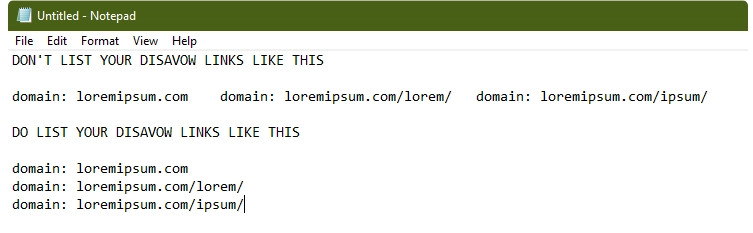 A few important things to remember:
 - The file should be encoded in UTF-8 or 7-bit ASCII.
- Avoid including more than 100,000 lines or a file size exceeding 2MB.
- It should have a ‘.txt’ file extension.
- Submit the File to Google Search Console:
- Monitor Results:
How Can You Avoid Disavow Overuse?
One of the biggest mistakes webmasters make is using the disavow tool preemptively or excessively. Remember that not all bad-looking links are harmful. Even backlinks from low-quality sites can provide some SEO value in terms of PageRank. Disavowing too many links without analyzing them could drop your rankings because you are cutting off valuable sources of authority and traffic.Alternatives to Using the Disavow File
In many cases, instead of focusing on disavowing bad links, it’s more beneficial to focus on building high-quality backlinks from trusted and authoritative sources. Here are a few ways to strengthen your backlink profile:- Content Creation: Publish shareable content that naturally attracts backlinks from reputable sources. Whether it’s blog posts, infographics, or research papers, high-quality content motivates organic link-building.
- Outreach Campaigns: Reach out to industry websites, bloggers, or influencers to promote your content and earn backlinks.
- Internal Linking: Strengthen your internal linking strategy to distribute authority across your website. So, the PageRank flows throughout your website and boosts its performance.
- Monitor and Audit Links Regularly: Perform regular audits of your backlink profile to make sure no harmful or spammy links appear over time.