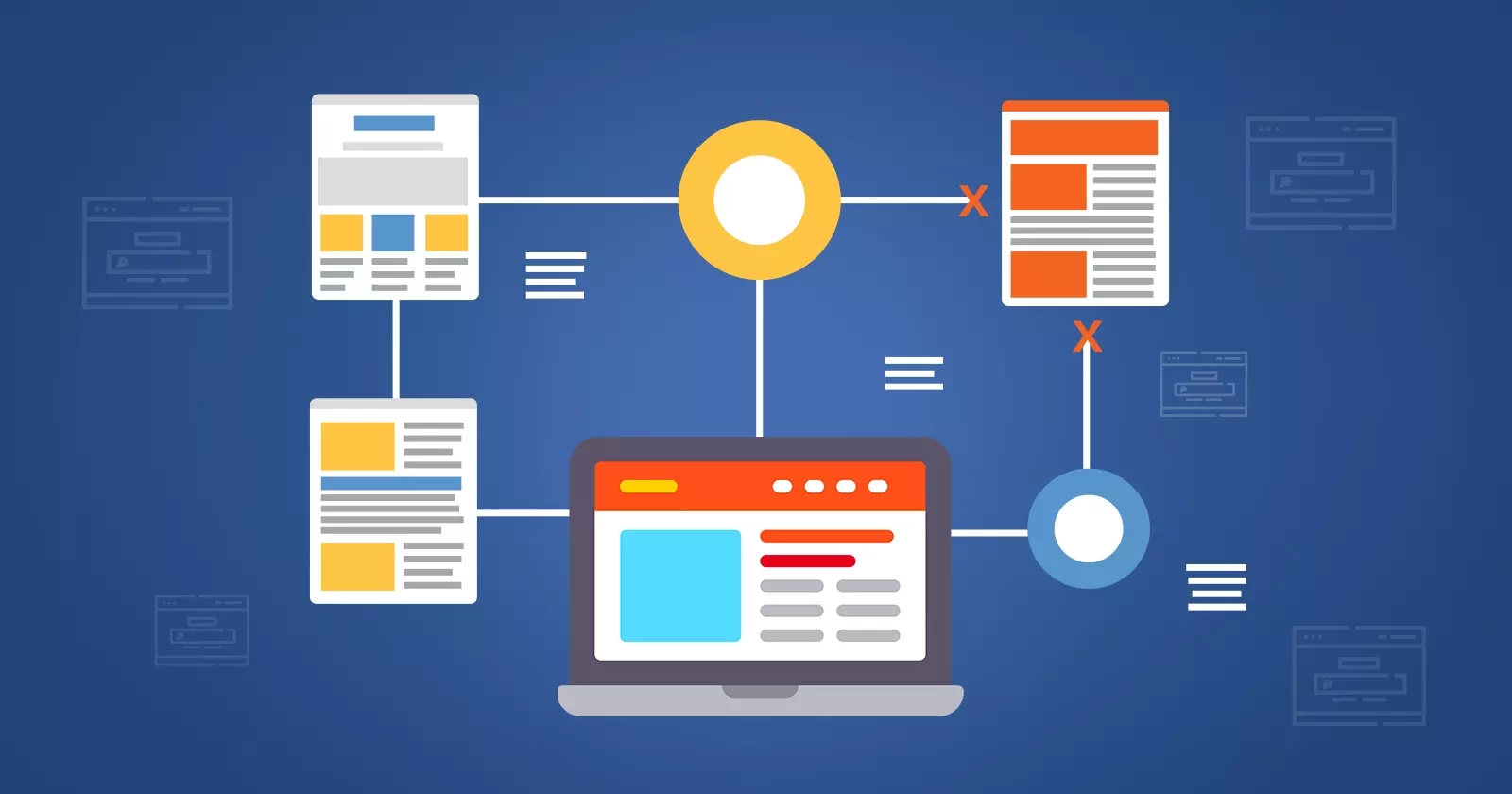
Introduction
Your website is your most valuable asset. It’s a tool for engagement, conversion, and connection. Yet, nothing frustrates your visitors more than hitting a digital dead end, a page that leaves them stranded with no clear path forward. Dead-end pages via a blog post, product page, or search result can lead nowhere, cost you valuable leads, decrease user satisfaction, and hurt your search engine rankings. In this article, you’ll learn how to identify, fix, and ultimately avoid dead-end pages to ensure your website offers a seamless user journey that leads to better engagement and conversions.

What is a Dead-End Page?
A dead-end page is exactly what it sounds like. It’s a page on your website that gives users no direction on where to go next. These pages lack internal links, navigation options, and calls to action (CTAs), which leaves visitors stuck. The absence of an onward journey makes it harder for users to explore your site and find the content they need. Instead of guiding users to more valuable information, a dead-end page forces them to go back, manually search for something else, or leave your site altogether. As you can imagine, most people choose the latter. And that’s where you lose potential customers, clients, or loyal readers.Why are Dead-End Pages a Problem?
Dead-end pages can cause significant issues for your website, affecting user experience, search engine optimization, and overall conversion rates. These pages create a poor navigation flow, leaving visitors stranded without clear direction or action. Here’s how dead-end pages can harm your site and your business:1. Frustration and Confusion
When users land on a dead-end page, they are left without guidance on what to do next. Imagine visiting a page containing information lacking internal links, calls to action (CTAs), or navigation options. What would you do? Most likely, you would feel confused and frustrated. The absence of a clear direction leads to a negative user experience, and visitors are unlikely to stay and figure things out. Instead, they will leave your site and possibly turn to a competitor whose site offers a smoother, more intuitive user experience.2. High Bounce Rates
Dead-end pages often cause visitors to leave your site, leading to higher bounce rates. A bounce rate refers to the percentage of users who visit a single page on your site and then exit without interacting further. When users hit a dead end, they have no reason to stay, resulting in an immediate exit. High bounce rates signal to search engines like Google that your site is not providing the kind of engagement visitors expect. This can lead to lower search rankings, as search engines may interpret the high bounce rate as indicating your content isn’t relevant or helpful to users.3. Lost Conversions
Dead-end pages represent lost opportunities for conversion. Whether your goal is to have visitors sign up for a newsletter, contact your business, or purchase a product, a dead-end page prevents them from taking that next step. Without CTAs, links, or other navigation options, you fail to guide visitors toward conversion actions. This can directly impact your business’s bottom line, as fewer visitors will complete desired actions such as filling out a form or making a purchase.4. Poor SEO Performance
Search engines rely on a well-structured website with clear navigation paths to understand and index your content. Dead-end pages can confuse search engine crawlers, especially if they don’t have any outbound links or connections to other parts of your site. When crawlers cannot follow links from one page to another, they may struggle to properly index your content, reducing visibility in search engine results pages (SERPs). Over time, this can lower your overall ranking and reduce the organic traffic your site receives.How to Identify Dead-End Pages
Before you can fix dead-end pages, you need to identify them. Here are some practical ways to spot them:- Use Analytics: Google Analytics is an excellent tool for identifying dead-end pages. Look for pages with high exit rates or low engagement. These are often indicators that users are hitting a dead end.
- Conduct User Testing: Sometimes, the best way to spot a dead-end page is by watching how real users navigate your site. Tools like Hotjar or Crazy Egg allow you to track user behavior, including where they click and how long they stay on a page. If you see users repeatedly bouncing from certain pages, it’s a sign that those pages might be dead ends.
- Audit Your Links: Do a manual or automated audit of your internal links. Tools like Screaming Frog can help you scan your website for pages that don’t link to other pages or have broken links.
- Check for Orphan Pages: Orphan pages are similar to dead-end pages but slightly different. They are pages that are not linked to any other page on your website. Even if they’re valuable, users won’t be able to find them easily. Identify orphan pages through SEO tools like Ahrefs or SEMrush and make sure they’re linked to relevant content on your site.
- Review Search Function Results: Check what users are searching for if your site has a search bar. Sometimes, users search for something but hit a “no results” page, essentially a dead end. You can reduce this by refining your search functionality and adding alternative suggestions. Once you’ve identified dead-end pages, it’s time to fix them.
How to Fix Dead-End Pages
Now that you know where your dead-end pages are, here’s how to fix them: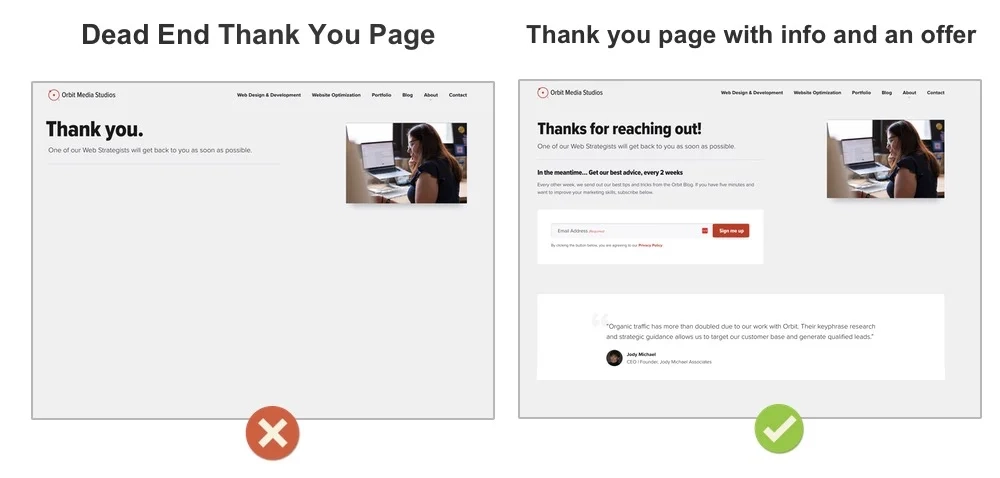
1. Add Internal Links
The quickest way to fix a dead-end page is to add internal links. Internal links are essential for SEO and help users navigate your site more easily.- Link to Related Content: If a visitor is on a blog post, guide them to similar posts or a related product page. A "related articles" section or “people also viewed” box works well.
- Include Contextual Links: Don’t just add links at the end of your content. Link to other pages within the body text where it makes sense. For example, if you mention a product or service in passing, link to the relevant product or service page.
- Breadcrumb Navigation: Breadcrumbs show users where they are on your site and allow them to easily navigate back to higher-level categories. This can help users avoid dead ends by offering them a clear path to other content.
2. Add Clear Calls to Action (CTAs)
Every page on your site should have a CTA that tells users what to do next. This is especially true for pages where you want visitors to take action, like a product page or service page.- Contact Forms: If your goal is lead generation, ensure your pages end with a clear contact form, inviting users to contact.
- Product Recommendations: If an item is out of stock or doesn’t meet the visitor’s needs, offer alternatives on product pages. Display related products, popular items, or a “shop the look” feature to keep the visitor engaged.
- Content Offers: If a user lands on a blog post, suggest additional articles, downloadable guides, or related videos to keep them on your site longer.
3. Improve Your Search Functionality
You must improve your search function if users hit a “no results” page after using your search bar. Here are a few ways to do that:- Suggest Alternatives: If the search returns no results, show alternative keywords or related products. You can also use autocomplete features to help users find what they want.
- Implement Visual Search: Some users may not know exactly how to describe what they want. By allowing visual search (where users upload a picture), you can help them find visually similar products or content.
4. Update Your 404 Pages
Four hundred four pages are inevitable but don’t have to be dead ends. A good 404 page will guide users back to useful parts of your site.- Add Links to Popular Content: On your 404 page, include links to your most popular blog posts, product categories, or service pages. This ensures that visitors still have somewhere to go, even if they hit a broken link.
- Use a Search Bar: Embed a search bar directly on your 404 page so that users can quickly find what they are looking for.
- Make it Fun: Some brands have creative 404 pages that engage users with humor or unique visuals. This keeps the user on your site and improves their experience.
5. Create a Smooth Checkout Process
For eCommerce sites, one of the most critical areas where dead ends can occur is during the checkout process. Here’s how to avoid it:- Offer Guest Checkout: Many users abandon the checkout process because they’re forced to create an account. To make the process smoother, offer a guest checkout option.
- Show Related Products: On the checkout page, offer users related or complementary products they might be interested in. This keeps them engaged and can increase your average order value.
- Post-Purchase Upsell: After the purchase is complete, don’t let it be the end of the journey. Use the thank you page to promote your newsletter, offer a discount on a future purchase, or display content related to their recent purchase.
6. Keep Users Engaged on Thank You Pages
Thank you pages, whether after form submission or purchase, are important for further engagement. Don’t let them be dead ends.- Invite Social Engagement: After someone subscribes to your newsletter or makes a purchase, encourage them to follow you on social media. Add social media buttons and make it easy for users to stay connected.
- Suggest Additional Resources: If someone just downloaded a guide or signed up for a webinar, suggest additional content they might find useful. This can include related blog posts, video tutorials, or product recommendations.
Best Practices for Avoiding Dead-End Pages in the Future
Avoiding dead-end pages requires continuous attention. Here are some key practices to ensure your website remains user-friendly and free of frustrating dead ends: